Evidence to bring together
- Reviewed audit findings and their supporting evidence.
- The asset baseline, replacement assumptions and service requirements.
- Priorities, dependencies and estimates agreed with the responsible team.
Strategic Roadmaps
Bring assessment findings, asset priorities and estimated costs into a roadmap leadership can discuss, approve and review.
The health check is an indicative questionnaire. Request a demo to discuss the full platform.
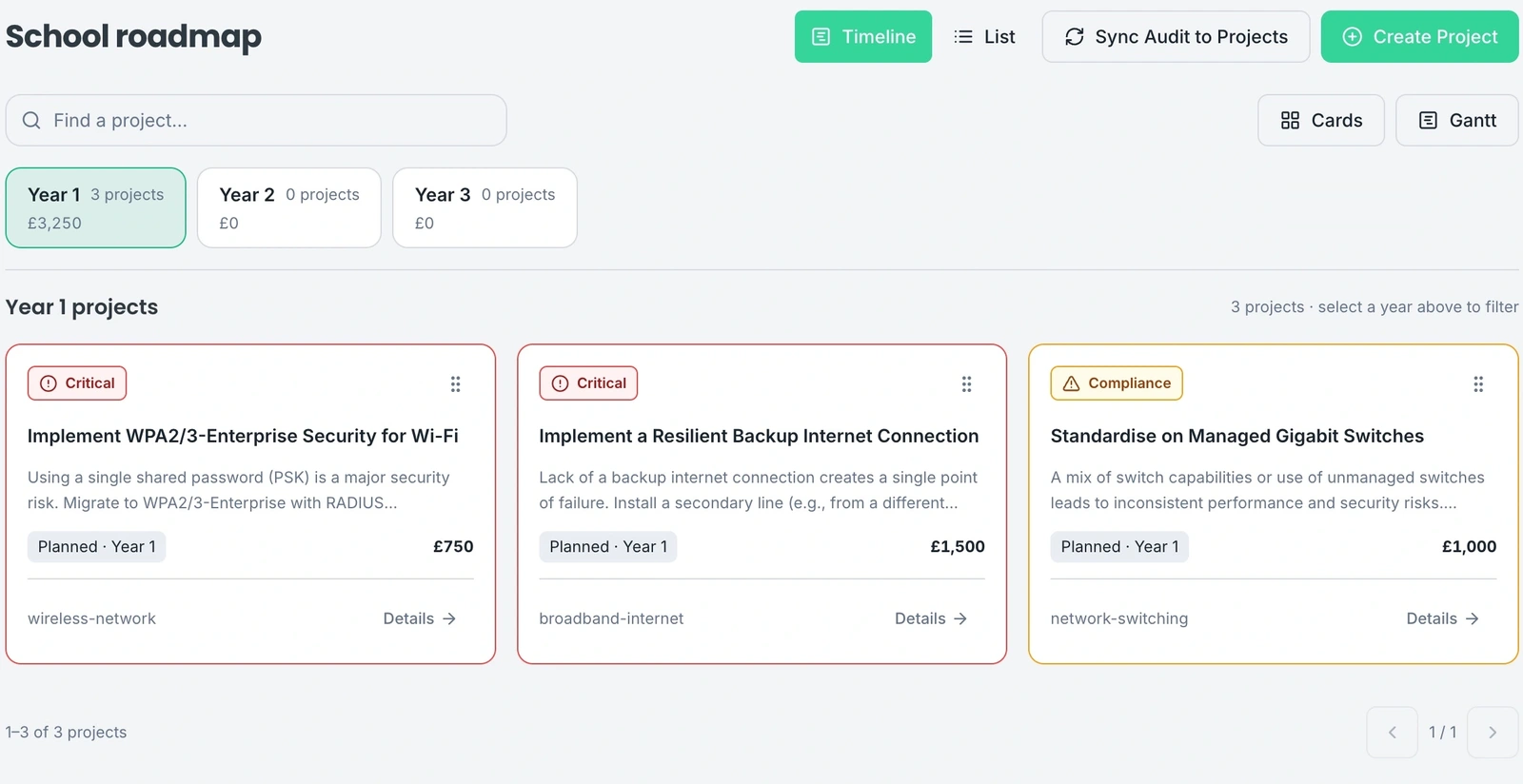
Example product view · demonstration data
A multi-year roadmap gives leaders a clear basis for discussing what should happen first and what can follow.
This example uses demonstration data. A proposed roadmap is not an approved budget, supplier quote or guarantee of delivery.
Step 1
Confirm scope, evidence and asset information. Record missing information before deciding which findings need action.
Step 2
Agree the reason for each project, its dependencies and planning estimates. Distinguish proposals from approved expenditure.
Step 3
Use the roadmap in regular reviews. Update priorities and assumptions as evidence, requirements or costs change.
Understand scope, responsibilities and the next step before you enquire.
No. Responsible teams need to review findings, dependencies, estimates and priorities before approving work. A generated plan supports that discussion.
No. Planning estimates need current quotations, tax treatment and implementation costs before procurement.
Identify the organisations and sites in scope, the people who own decisions, your available asset information and the frameworks you want to assess. Discuss any integrations or Windows-agent requirements before enabling them.
Choose material written for your audience. Each sector has its own brief, example and checklist. No form or account needed.
School and MAT technology reviews, DfE evidence, asset priorities and the investment discussion with leaders, governors and trustees.
For Schools, Multi-Academy Trusts
Technology risks, service dependencies, replacement priorities and a costed plan for an IT and finance investment discussion.
For Businesses
The provider customer-review workflow, customer and provider responsibilities, onboarding and the distributor partnership handoff.
For IT providers
Leadership briefing
A demonstration is easier to judge when you know what you want help with. Start with a problem from your school day, such as missing equipment, unclear repair plans or a budget full of last-minute requests.
Leadership briefing
The price on the laptop quote may be only part of the bill. Before agreeing a purchase, ask what it will cost to get the equipment ready and keep it useful for staff and pupils.
Practical guide
The cupboard full of cables helps keep school computers connected. You do not need to understand every box inside it, but knowing where it is and who looks after it can help when something goes wrong.
Tell us about your organisation, priorities and any existing IT partner. We review your enquiry and pass relevant details to our distributor, who can coordinate a suitable partner or handle larger customers directly.
We will discuss scope and onboarding before access is arranged. This request does not book a demo or activate an account.