The health check is an indicative questionnaire. For platform access and onboarding, request a conversation.
Make the assumptions visible
Discuss why a replacement is proposed, when it is needed and what the estimate includes. Review the baseline with IT and finance before agreeing expenditure.
Multi-year planning estimates
Replacement assumptions
A basis for leadership discussion
How to use this in a review
1
Review the asset baseline and expected requirements.
2
Set replacement and cost assumptions for the planning period.
3
Discuss priorities and scenarios before approving a budget.
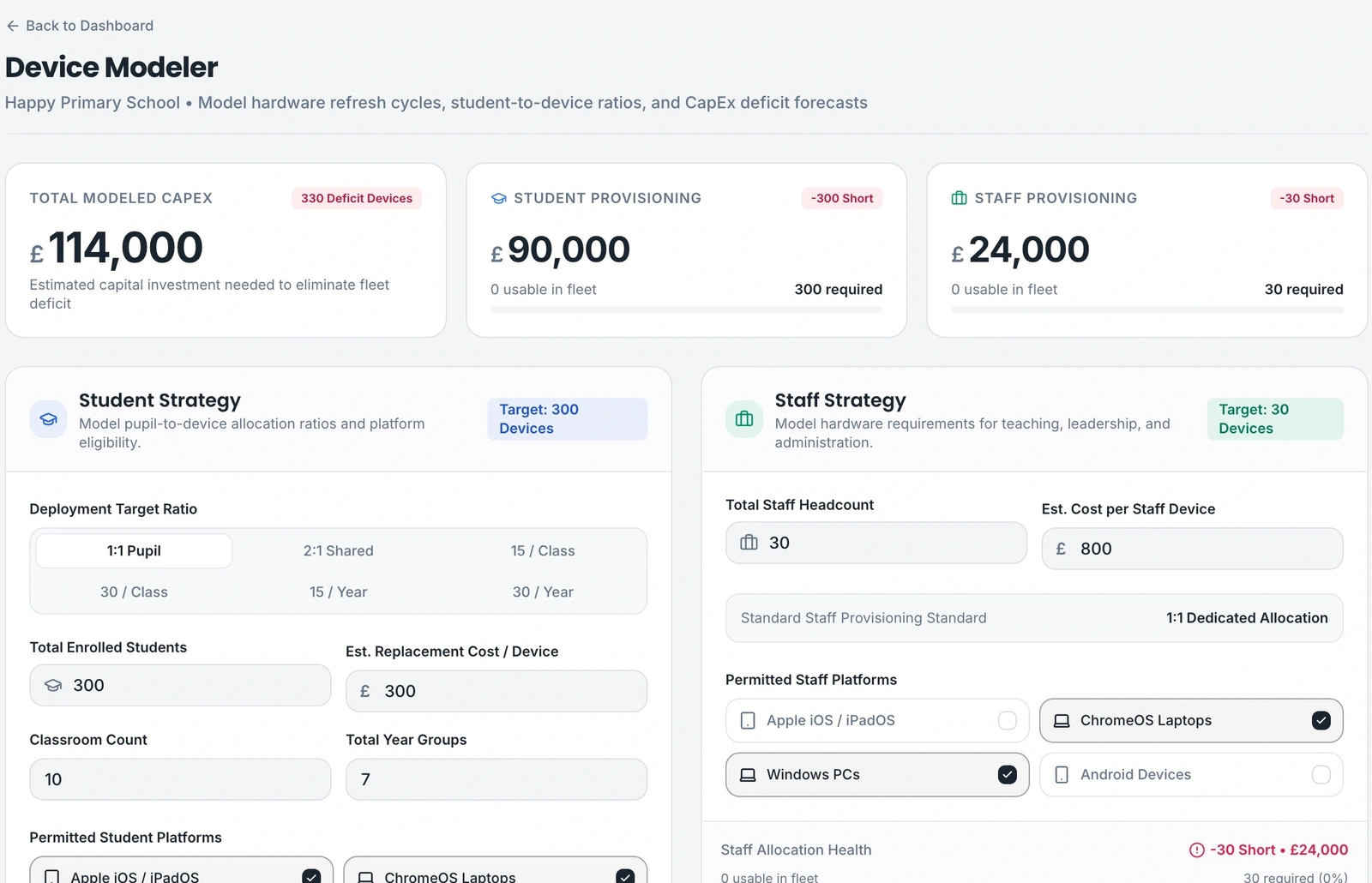
Example product view · demonstration data
Explain what sits behind the budget
Use the hardware model to discuss expected requirements and estimated costs. Keep scope, replacement assumptions and exclusions with the figures.
Forecasts are planning estimates. Validate quantities, unit costs, VAT, delivery costs and dependencies before procurement; no saving or approval is guaranteed.
Hardware forecast and planning inputs · demonstration data. Example figures are not measured customer outcomes.
Questions before you get started
Understand scope, responsibilities and the next step before you enquire.
Are these figures supplier quotes?
No. They are planning estimates based on the information and assumptions used. Obtain current quotations and review project costs before approval or purchase.
What else should we include in a budget?
Review implementation, licensing, support, disposal, tax and contingencies alongside hardware. State exclusions clearly; a hardware estimate is not a complete project budget.
What should we prepare for onboarding?
Identify the organisations and sites in scope, the people who own decisions, your available asset information and the frameworks you want to assess. Discuss any integrations or Windows-agent requirements before enabling them.
Useful material for your next discussion
Material for Education. Download, share and discuss. No form or account needed.
You find the laptop, but its charger is missing. Another one has gone to a different classroom. A simple equipment list can make it easier to prepare lessons and decide what the school needs to buy.
A three-year IT budget should help colleagues understand what the school needs, when it needs it and what the likely costs include. It can do that without a complicated scoring model or a list of unexplained specifications.
An IT audit is a structured check of what the school has and how it supports its work. Staff can contribute useful observations without testing technical settings themselves. Start with a clear question and involve IT where needed.
Published Updated
See how this would work for your organisation
Tell us about your organisation, priorities and any existing IT partner. We review your enquiry and pass relevant details to our distributor, who can coordinate a suitable partner or handle larger customers directly.
We will discuss scope and onboarding before access is arranged. This request does not book a demo or activate an account.